The Ultimate Showdown: The Best (and Worst) Printers for Photo Booths in 2026
If you ask any seasoned operator what their most valuable piece of equipment is, they won’t say it’s the camera, the lighting, or the props. They’ll tell you it’s the printer.

The best printers for photo booths: The Industry Workhorses of 2026
Your printer is the beating heart of your entire setup. A fast, reliable machine keeps the queue moving, the energy high, and your clients thrilled with crisp, professional keepsakes. On the flip side, a slow, jamming printer is a certified party killer that makes your business look cheap. Whether you are running a classic enclosed setup, a sleek mirror booth, or a roaming iPad rig, choosing the right printing technology is the single most important hardware decision you will make. Let’s break down the best photo booth printers on the market—and the ones you should avoid at all costs. These are the workhorses built specifically to handle the high volume and fast pace of weddings, corporate events, and parties.
1. DNP DS620A: The Industry Standard
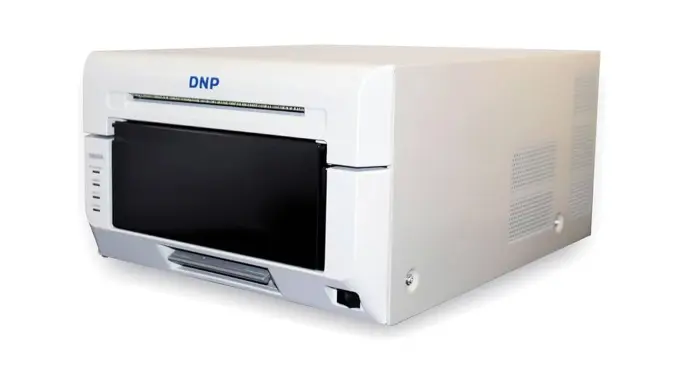
DNP is a heavyweight champion in the event printing world, and the DNP DS620A is arguably the most popular model in the industry. If you walk into any professional photo booth activation today, there is a very high probability you will find the DNP DS620A Professional Photo Printer humming away inside the flight case. It is DNP’s flagship model and has earned a reputation as the ultimate workhorse for event photographers and booth operators. DNP DS620A One of the best printers for photo booths.
The Pros: Why Operators Love It
It hits the “sweet spot” for most businesses: it is fast enough to handle a 300-person wedding, small enough to fit inside a sleek mirror booth enclosure, and durable enough to survive years on the road.
- Blazing Fast Speeds: The DS620A churns out a standard 4×6 print in just 8.3 to 9 seconds. This speed is crucial for keeping the line moving at busy events.
- Versatile Print Sizes: It natively handles 4×6, 5×7, and 6×8 prints. Most importantly for booth owners, it automatically cuts traditional 2×6 photo strips perfectly, straight out of the machine.
- Compact Footprint: At only 10.8 inches wide and 6.7 inches high, it takes up very little space on a vendor table or inside a custom booth enclosure.
The Cons: What to Consider Before Buying
- Moderate Print Capacity: A standard roll yields 400 4×6 prints (or 800 2×6 strips). While great for standard weddings, operators running massive corporate festivals might prefer the DNP DS-RX1HS, which holds 700 prints per roll, requiring fewer media changes.
- Weight: While compact in size, it still weighs around 26 pounds. It is significantly lighter than older models, but still heavy enough to require a proper, padded rolling flight case for transport.
- Premium Price Tag: It requires a higher upfront investment compared to entry-level printers, and the proprietary dye-sub media kits mean you have a strict, fixed cost per print.
DID YOU KNOW?
All our Photo Booth Overlay Templates are compatible with all Printers.
All our Photo Booth Overlay Templates are compatible with all major photo booth software platforms. They are designed to work seamlessly with popular systems such as Snappic, LumaBooth, Touchpix, Darkroom Booth, Breeze Systems, and FotoMaster. Whether running an iPad booth, Windows setup, DSLR booth, or 360 video booth, these overlays integrate smoothly for reliable, professional results every time. Photo booth graphics for all photo booths.
2. DNP DS-RX1HS: The High-Capacity Beast
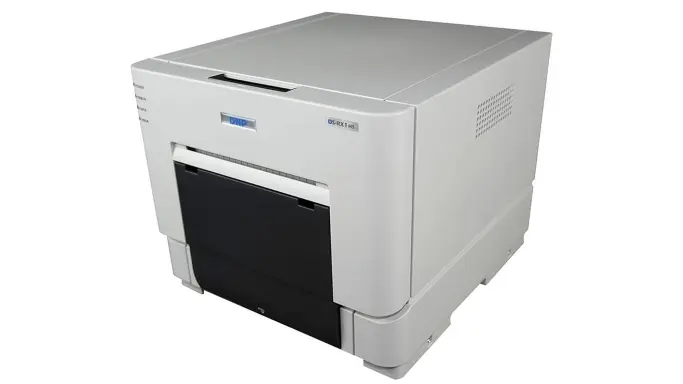
If you are booking massive corporate events or multi-day festivals, the DNP DS-RX1HS is your machine. If the DS620A is the sprinter of the photo booth world, the DNP DS-RX1HS Dye-Sublimation Printer is the marathon runner. Designed for maximum endurance, this printer is the ultimate solution for operators who book massive activations—think multi-day music festivals, university orientations, or 1,000-guest corporate galas. DNP DS-RX1HS, One of the best printers for photo booths.
The Pros: Why Operators Love It
When you have a constant line of people wrapping around the room, the last thing you want to do is stop the booth, open the enclosure, and change the paper roll. The DS-RX1HS minimizes that downtime.
- Unrivaled Media Capacity: This is the primary reason to buy this machine. A single roll of media holds a staggering 700 4×6 prints (or 1,400 2×6 strips). You can often run an entire weekend of standard events on a single roll.
- Lower Initial Cost: It typically commands a lower upfront price tag compared to the DS620A and other flagship models, making it an attractive entry point for new business owners looking for commercial-grade gear.
- Built Like a Tank: Weighing in at around 30 pounds, its rugged, durable design is meant to take a beating on the road. It has a utilitarian, boxy frame that prioritizes function over form.
The Cons: What to Consider Before Buying
- Slower Print Speeds: The “HS” stands for High Speed (compared to the older RX1 model), but it still takes about 12.4 to 15 seconds to print a 4×6. That is noticeably slower than the DS620A’s 9-second output, which can cause slight bottlenecks if guests are waiting at the side of the booth.
- Heavy and Bulky: At nearly 30 pounds and taking up a larger physical footprint (11″ x 12.6″ x 13.8″), it can be a tight squeeze inside slim mirror booths or modern roaming setups. It is definitely a machine that lives in a dedicated, heavy-duty flight case.
- Higher Cost-Per-Print: While the machine itself is cheaper to buy, the consumable media kits tend to cost slightly more per print over the lifespan of the machine compared to some rival models.
Graphics that turn photos
into experiences.
Built for all major photo booth software and apps, each design is easy to use, fully customizable, and ready to deliver instant impact. From weddings to corporate events, these graphics help turn every photo into a polished, memorable experience that clients and guests will love. See What Eyelykit Studio has to offer.
3. HiTi P525L: The Value Workhorse
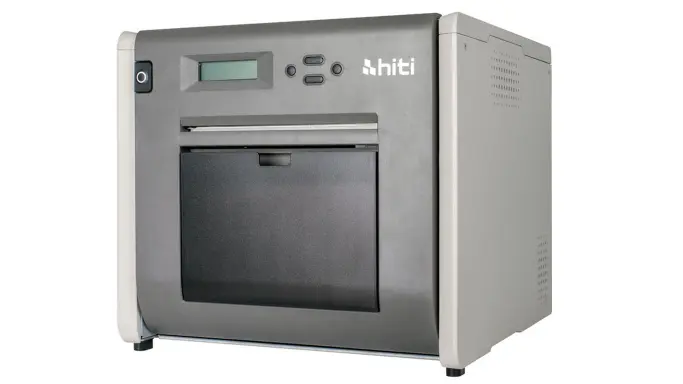
The HiTi P525L is a fantastic option for those looking to maximize their profit margins without sacrificing quality. If you want commercial-grade dye-sublimation quality but need to keep your initial hardware investment strictly under $1,000, the HiTi P525L Compact Dye Sub Photo Printer is where your search should begin and end. HiTi P525L, One of the best printers for photo booths.
The Pros: Why Operators Love It
It is designed to give event photographers and photo booth operators the core features of the flagship DNP models—like high-capacity rolls and fast output—without the premium price tag.
- The Price Point: Simply put, it is one of the most affordable professional dye-sub printers on the market. For new operators bootstrapping their business, it frees up cash flow for better software or premium backdrops.
- Great Media Yield: Even with a smaller footprint, a single roll of 4×6 media produces an impressive 500 prints (or 1,000 2×6 strips). This is 100 more prints per roll than the DNP DS620A.
- Unique Cutting Options: It can do something very few printers in this class can: it can cut unique 3.5×5 prints without wasting paper, in addition to standard 4×6, 5×7, 6×8, and dual 2×6 strip cuts.
The Cons: What to Consider Before Buying
- Wireless Can Be Buggy: While it does offer a wireless printing option via a Wi-Fi dongle (sold separately), operators frequently report that the wireless connection can be unstable. You are much better off hard-wiring it directly to your PC via USB.
- No “Catch Tray” Included: Out of the box, it does not come with a catch tray for the printed photos. They will simply drop out of the front slot. You will need to rig your own catch solution inside your booth enclosure to keep prints in order.
- Loud Operation: It is noticeably louder and vibrates slightly more than its DNP rivals. If it’s housed inside a sturdy mirror booth, this isn’t an issue, but on a thin vendor table, you will hear it working.
The Worst Printers for Photo Booths (What to Avoid)
Not all printers are created equal. Bringing the wrong tech to a gig will result in endless bottlenecks and frustrated guests.
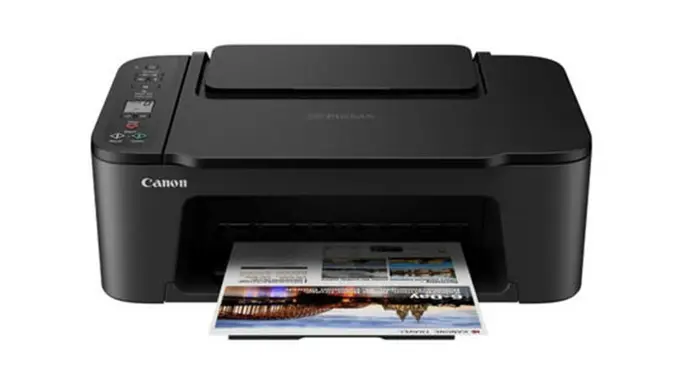
1. Standard Home Inkjet Printers
Why to avoid: As mentioned above, wet ink and slow speeds are dealbreakers. An inkjet printer might take 45 to 60 seconds per photo. After just ten groups, you’ve created a massive line. Plus, the cost of replacing small liquid ink cartridges will destroy your profit margins.
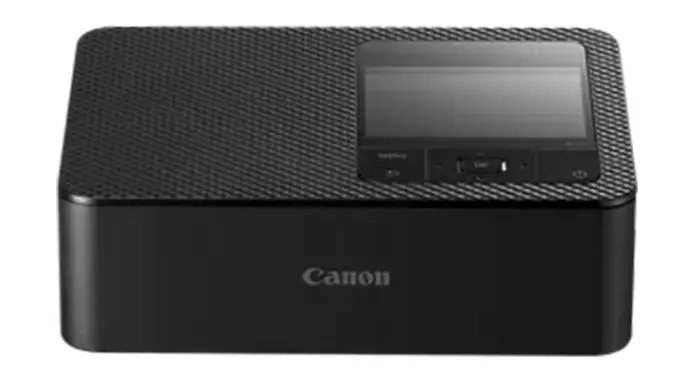
2. The Canon Selphy Series (e.g., CP1300/CP1500)
Why to avoid: These are actually fantastic little dye-sub printers for DIY home projects, but they are an absolute nightmare for professional, paying gigs. The dye cartridge only lasts for 36 prints. You will spend the entire event babysitting the machine, constantly refilling paper and swapping cartridges instead of engaging with guests and managing the crowd.
More great tips, advice and posts.
–Best Flower Wall Backdrops for Photo Booths
