creating a Photo booth overlay tips
The Ultimate Guide to Creating a Photo Booth Overlay: From Newbie to Pro
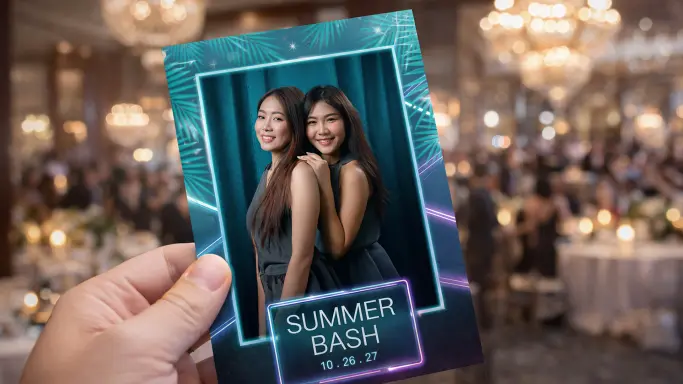
Master the Basics of Custom Photo Booth Overlays.
Before you dive into the glitter and gold, you need to understand the architecture of custom photo booth overlays. Think of your overlay as a sandwich: the guest is the filling, and your design is the bread. If the bread is too thick, you can’t see the meat. Keep your design elements concentrated around the edges to leave plenty of “face space” for the guests.
what is a photo booth overlay?
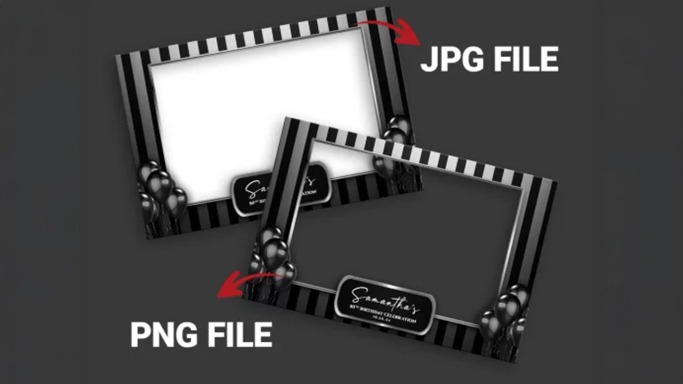
A photo booth overlay is a transparent digital graphic that sits on top of your photos, videos, or GIFs. Think of it as a custom-designed frame that adds personality and context to every capture. Typically created as a transparent PNG file, it includes essential details like wedding names, event dates, or corporate logos. Without an overlay, a photo is just a random snapshot; with one, it becomes a branded keepsake.
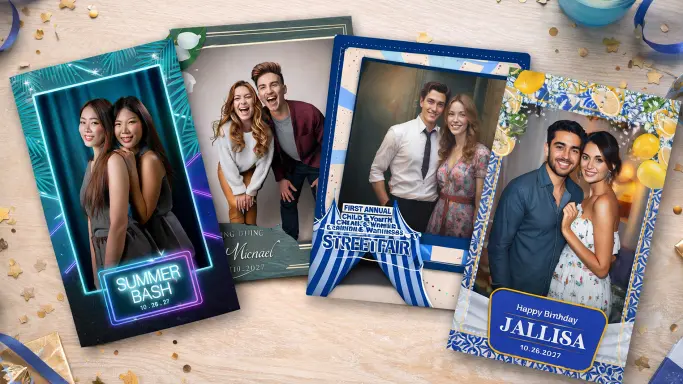
Photo booth graphic design tips. DIY photo booth overlays.
Creating a photo booth overlay is the secret sauce that transforms a raw photo into a branded masterpiece. Whether it’s a wedding, a corporate gala, or a backyard bash, your overlay is the frame that holds the memory. If you’re new to the game, don’t worry—we’ve all accidentally covered the groom’s face with a giant digital flower at least once. This guide will ensure your designs are as “pixel-perfect” as they are “party-ready.”
The Importance of Typography and Alignment
Ignoring typography hierarchy and alignment can make your design seem like you didn’t care about your client’s event. When text and elements are poorly arranged, it sends a message that the details don’t matter. After all, a polished design speaks volumes about the importance you place on their special moments! Sloppy Designs Say ‘I Don’t Care’—And Your Clients Deserve Better!
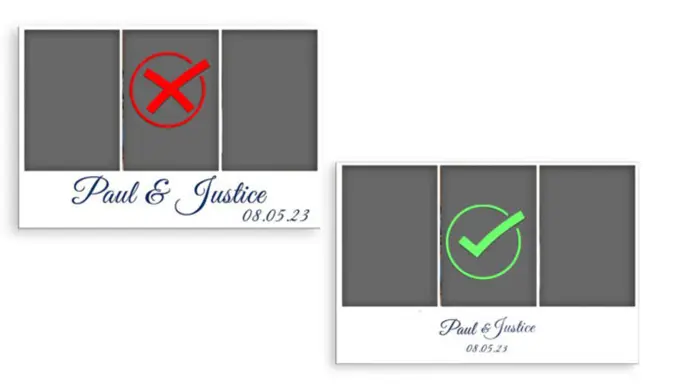
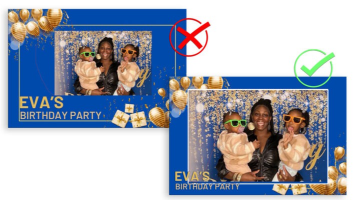
Your Overlay Should Highlight the Photo
The guest of honor at any event isn’t your graphic design skills—it’s the people in the photo. A common mistake for new owners is making the “photo hole” too small in an attempt to show off more balloons, glitter, or text. If your guests need a magnifying glass to find themselves, your overlay has officially become a “hide and seek” game nobody asked for. Aim for the photo to occupy at least 70-80% of the total canvas area.
Understanding Transparency
Understanding transparency is the single most important technical hurdle for new creators. Transparency in a photo booth template is like giving your design the power to play peekaboo—certain parts can be see-through or semi-transparent. This magical feature lets the photo booth background shine through, creating a seamless blend that looks as smooth as a well-choreographed dance. And here’s the pro tip: always save/export your Custom photo booth overlays as a PNG file. PNG overlay for photo booth.
Define the Dimensions
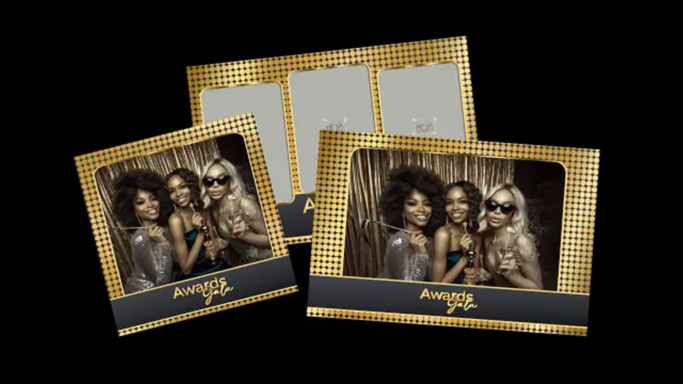
Establishing the correct dimensions is the foundation of your Custom photo booth overlays. Think of resolution as the “fit” of your design; if the dimensions are off, your graphics will look stretched or blurry. Always verify your specific software requirements, such as those for Snappic, Fotomaster, Darkroom, or Touchpix, to ensure your canvas matches your output. Standard Photo Booth Overlay Dimensions: 4×6 Postcard Templates: 1200px x 1800px. 2×6 Photo Strips: 600px x 1800px. Square Templates: 1600px x 1600px. Instagram Stories/Reels: 1080px x 1920px.
Basic design rules you should follow:
- Limit Your Elements: Stick to a few key graphics and minimal text. Too much clutter pulls attention away from the photo itself.
- Choose Readable Fonts: Opt for clean, legible typefaces that are easy to read at a glance. Avoid overly decorative styles that can confuse or distract viewers.
- Use Contrasting Colors: Select colors that clearly stand out from the background. High contrast helps text and graphics pop instantly.
- Maintain a Balanced Layout: Distribute elements evenly across the overlay to create a polished, harmonious design that feels visually pleasing.
When You are Designing, always remember:
- Use High-Resolution Images: When you try to resize a low-resolution image, it often turns into a pixelated mess—think tiny, blocky squares that look more like a game from the ’80s than a beautiful photo. In contrast, high-resolution images can be resized without losing quality, keeping your designs looking sharp and stunning. So, choose wisely and let those high-res images elevate your overlays!
- Alignment: Proper alignment not only enhances the overall aesthetics but also conveys a sense of professionalism and care in your work. Viewers often subconsciously associate neat, aligned elements with higher quality and craftsmanship. So, take the time to align your components—your designs will thank you, and so will your clients!
More great tips, advice and posts.
Custom Overlay Templates
Need a custom design? Order your custom overlay templates today!
Unlimited Downloads!
Your Ultimate Photo Booth Toolkit!
